Simple projection
for your church
Song lyrics, Bible passages, presentations, and media for your service. Desktop app to project, web panel to manage, and mobile app to control from your phone. Everything synced in real time.
Available for macOS and Windows
Three apps, one team
EFA Projection is three apps working together. The desktop app handles projection; the other two help you manage and control it.
Desktop app
The app that runs the projection
This app connects to the projector and shows lyrics, verses, presentations, and media during the service. Works offline.
macOS · Windows
DownloadWeb panel
Prepare the service from anywhere in your browser
Sign in from your browser to manage songs, programs, calendar, and members. Ideal for preparing the setlist before the service.
Any browser
Open the panelMobile app
Remote control + management in your pocket
Change slides, go to black, or skip songs without walking over to the computer. You can also manage the setlist from your phone.
iOS · Android
See the mobile appAll three share the same account and sync in real time. To project during the service you need the desktop app — the web panel and mobile app don't project on their own.
Everything you need to project
Built specifically for churches. Simple to use, powerful when you need it.
Works offline
The desktop app works without internet. Sync your changes with one click when you're back online.
AI assistant
Generate text slides, suggest the service setlist, build the month's calendar, and fix the spelling of your lyrics — all with AI.
Song lyrics
Manage your full setlist. Search, organize, and project lyrics instantly. Includes online search to discover new songs without leaving the app.
Bible mode
Search and project Bible passages directly. A dedicated mode for quick verse projection with multiple versions available.
Team collaboration
Work with your projection team from anywhere in the world. Prepare songs, programs, and presentations together in real time, no matter where they are.
Mobile app
Carry the admin in your pocket. Available on iOS and Android to manage songs, programs, and media from anywhere.
Remote control
Control the projection from your phone. Change slides, pause, or black out the screen without walking over to the computer.
Service programs
Organize the order of service with songs, readings, and notes. Ready to project.
Calendar
Organize your team's work with a built-in calendar. Assign tasks, schedule services, and coordinate your team easily.
Media
Work with images, audio, video, and YouTube links. Use text slides to enrich your services.
Presentations
Upload PDF or PowerPoint files and they're automatically converted into slides ready to project.
Setlists
Create song setlists for rehearsals or special services. Organize them by theme or season.
Upload links
Share a link so members of your church can upload files directly. Approve or reject each file before it goes live.
Google Calendar
Sync your events and services directly with Google Calendar. Your team always up to date.
Telegram
Get notifications and reminders about services and tasks directly in Telegram.
Gallery
An intuitive interface designed so your team can focus on what matters.
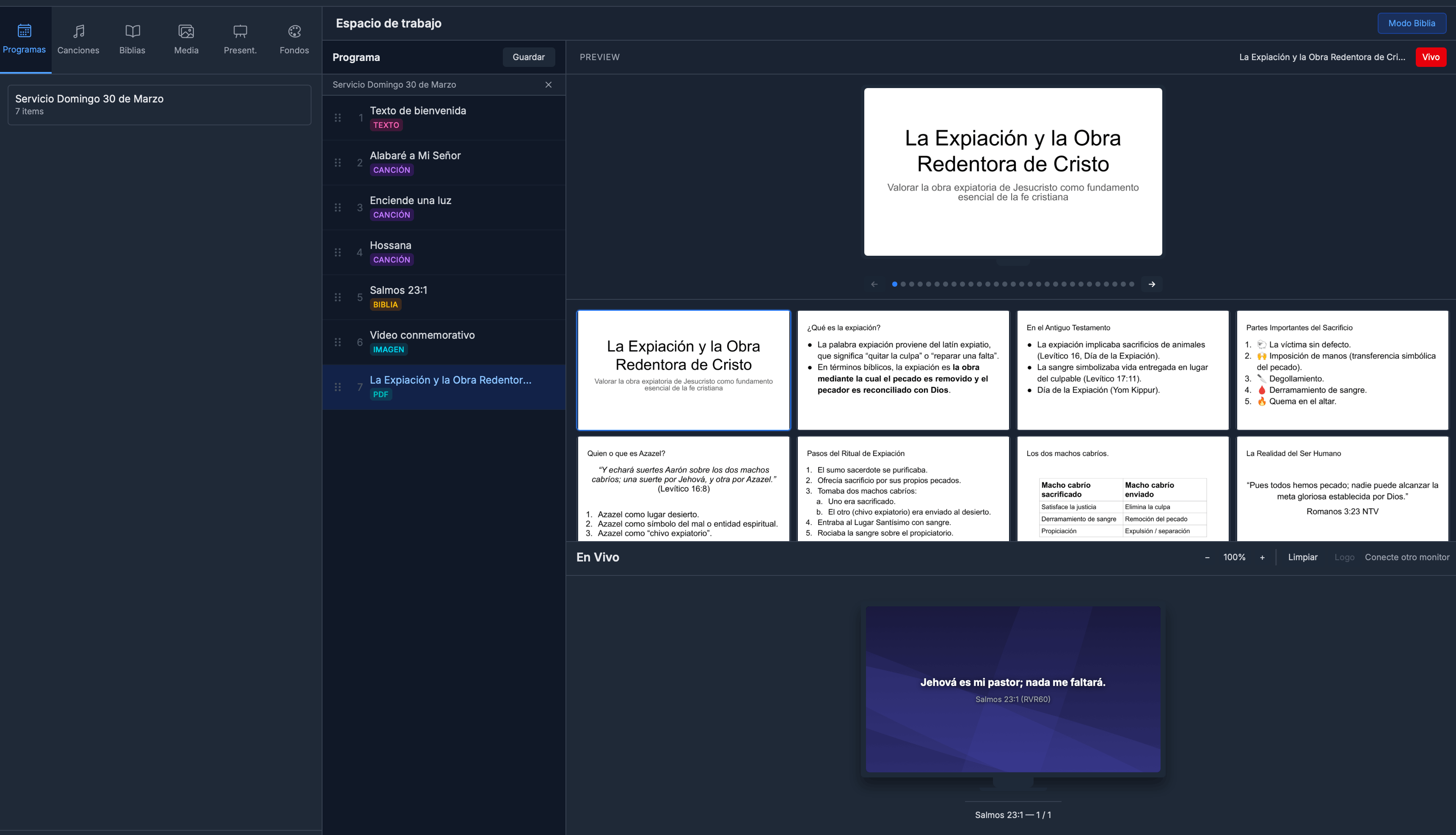
Workspace
Desktop AppControl programs, songs and projection from a single window.
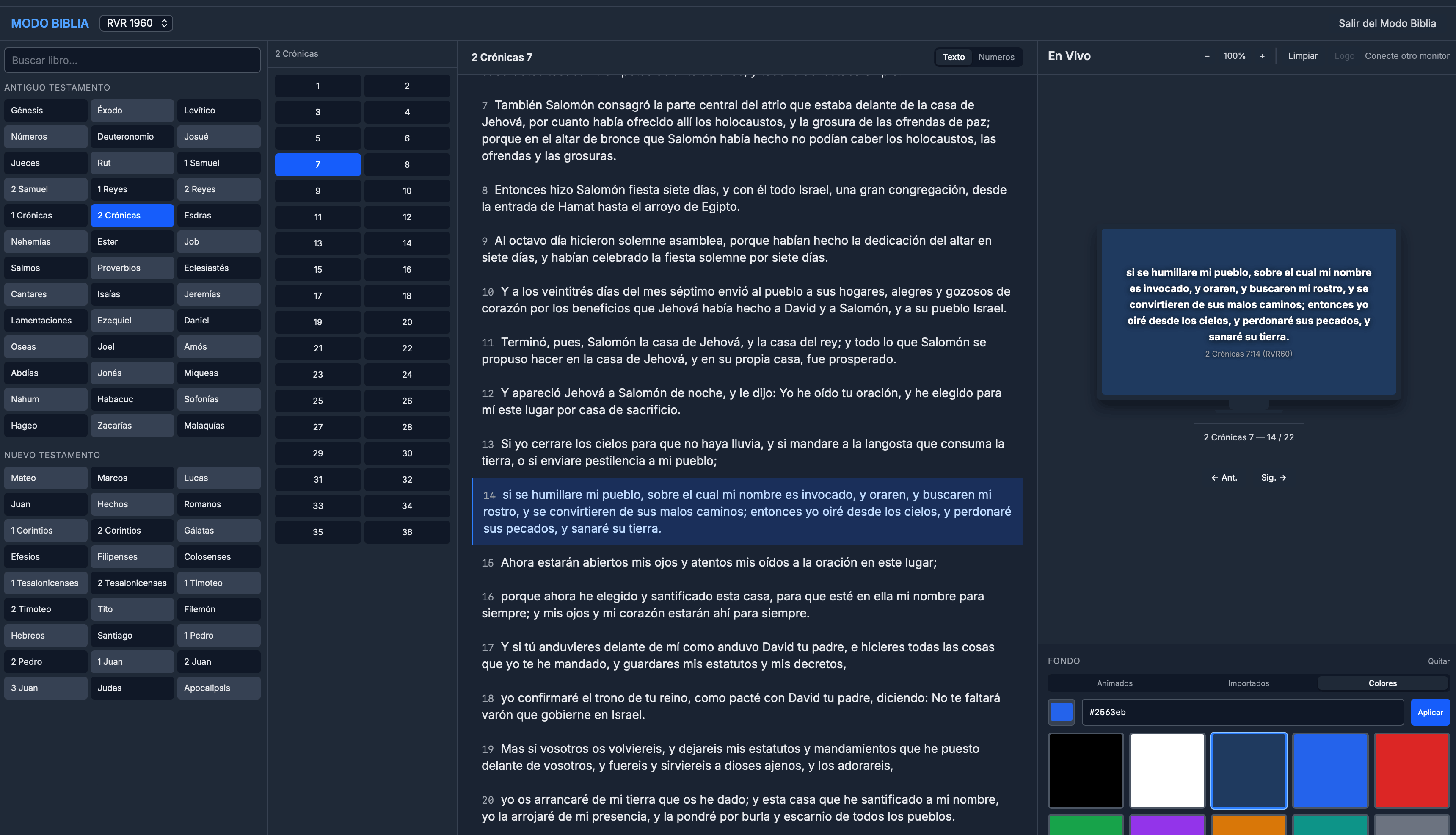
Bible Mode
Desktop AppProject verses quickly with multiple versions available.
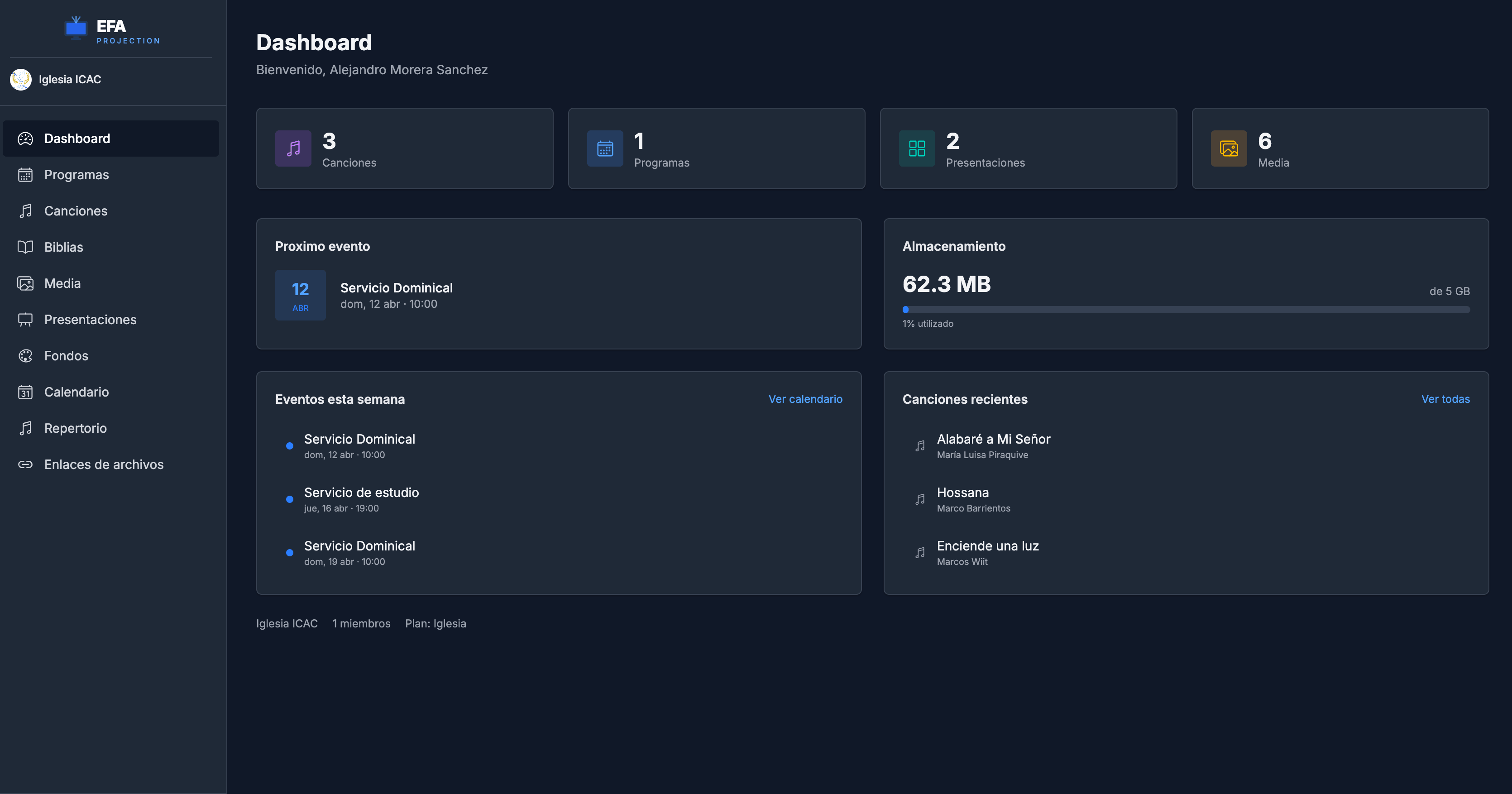
Dashboard
Web AppAdmin panel with an overview of your organization.
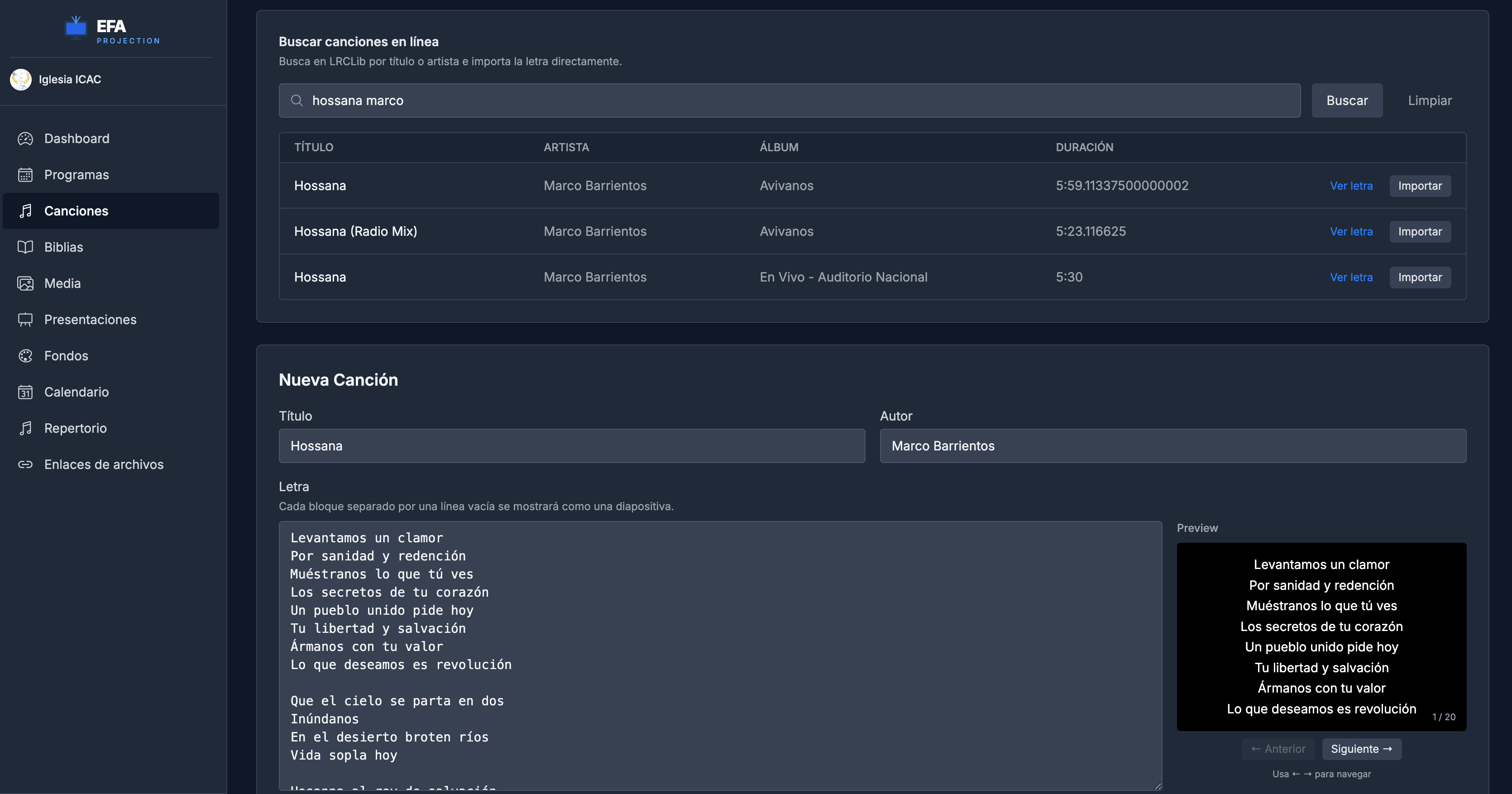
Songs
Web AppManage your repertoire with lyrics and online search.
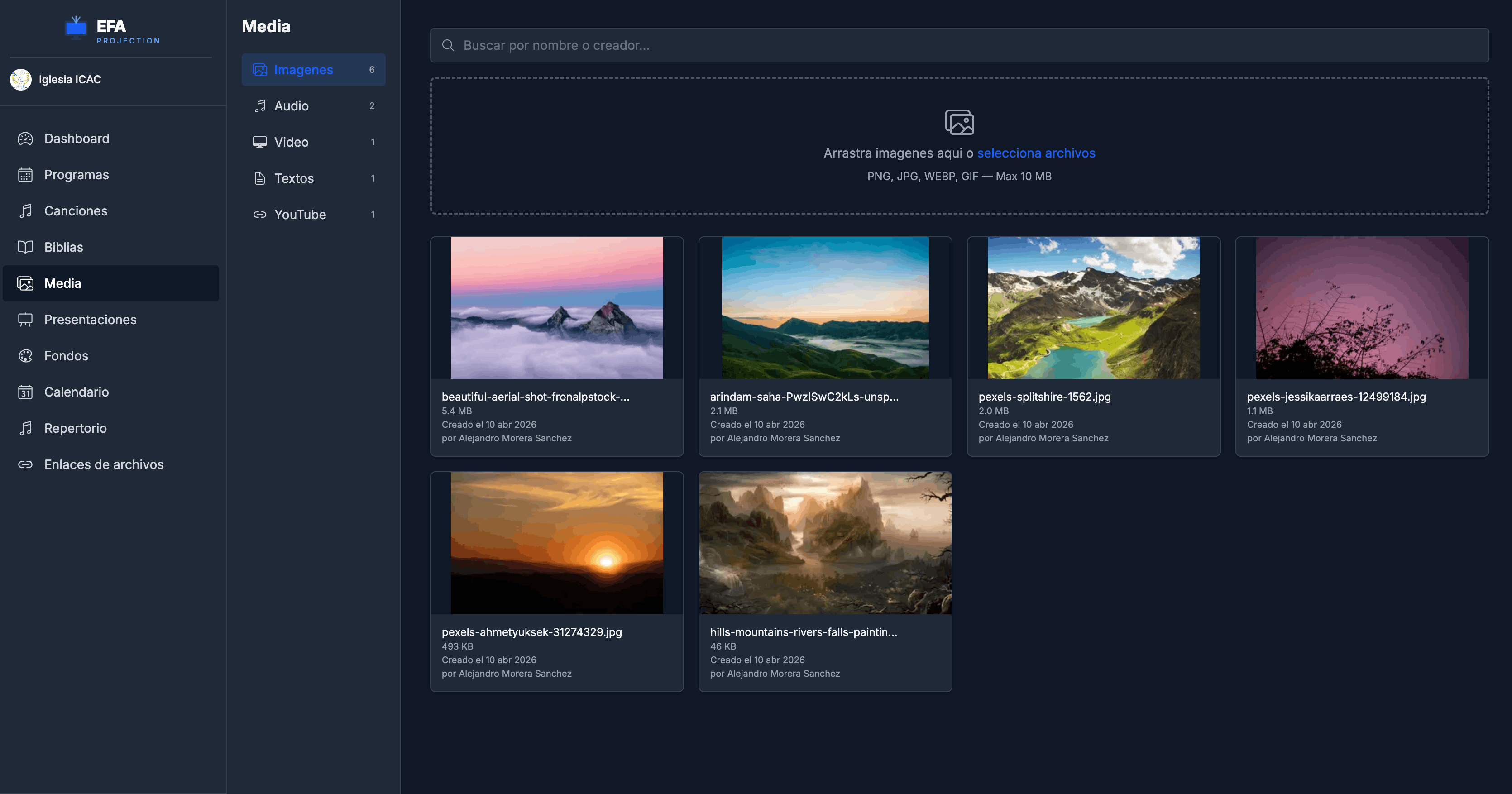
Media
Web AppImages, audio, video and YouTube links in one place.
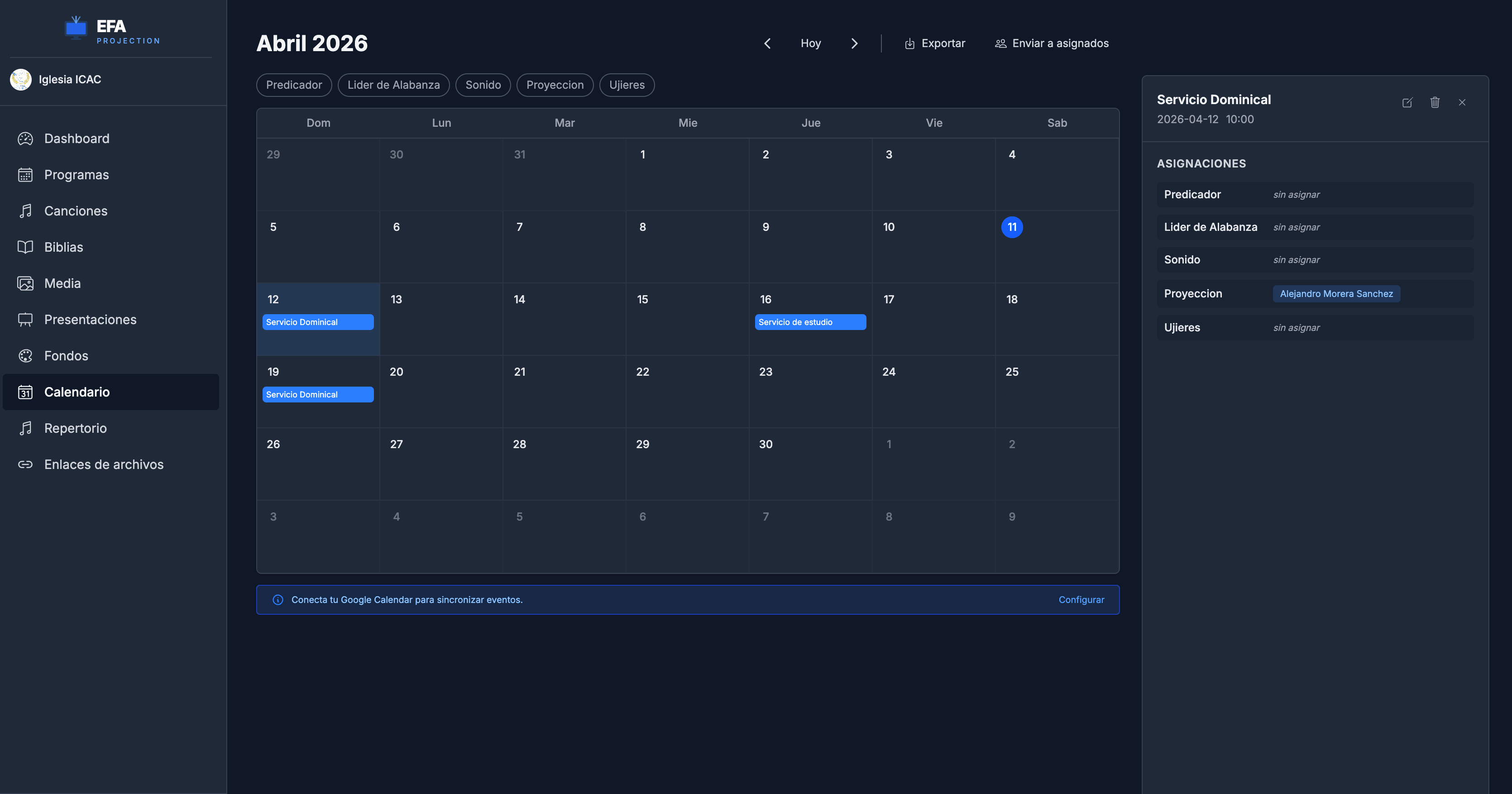
Calendar
Web AppOrganize services and assign tasks to your team.
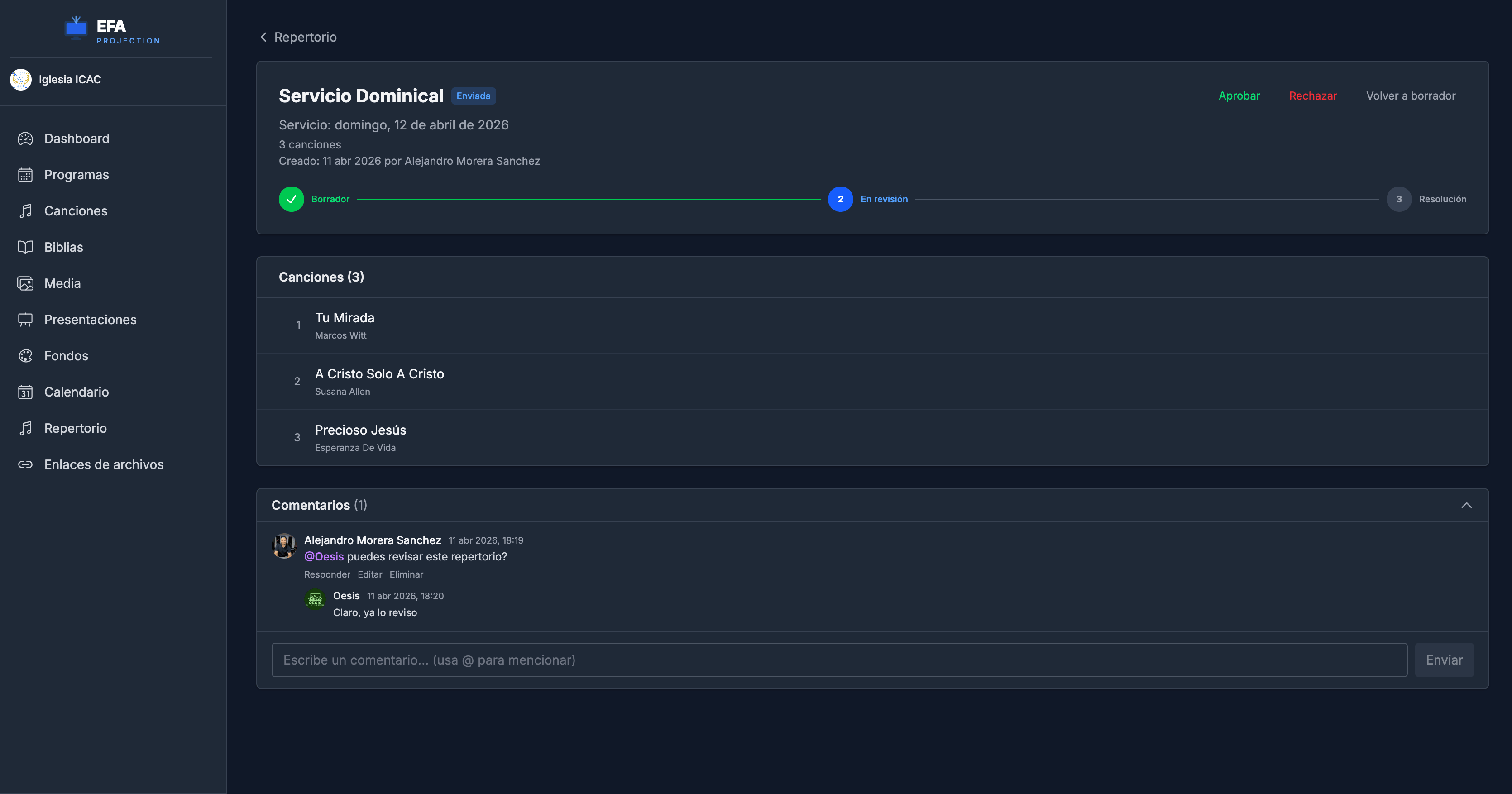
Repertoires
Web AppBuild song repertoires for rehearsals or special services.
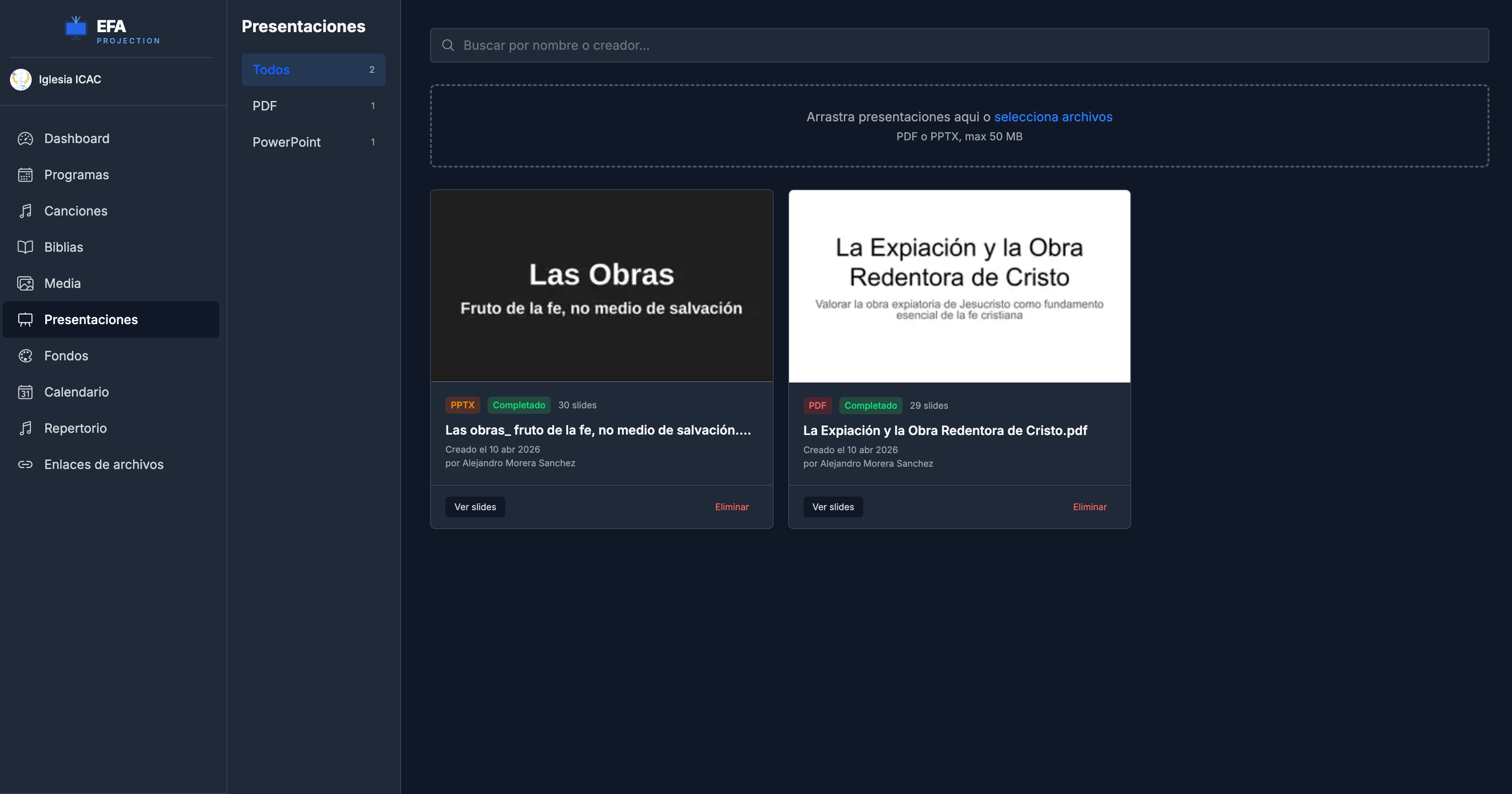
Presentations
Web AppUpload PDF or PowerPoint and they become slides.
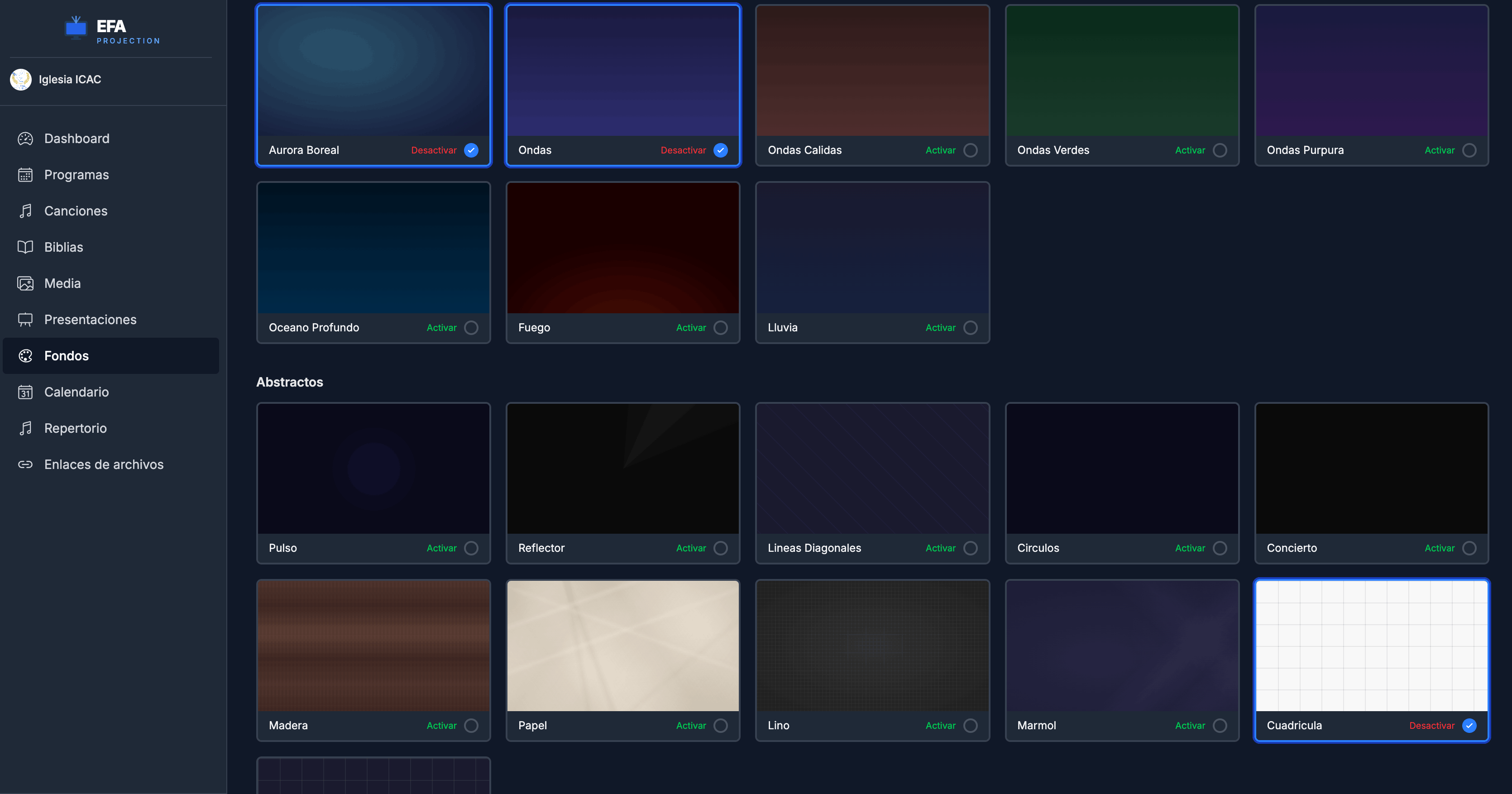
Backgrounds
Web AppAnimated, imported and color backgrounds for your projection.
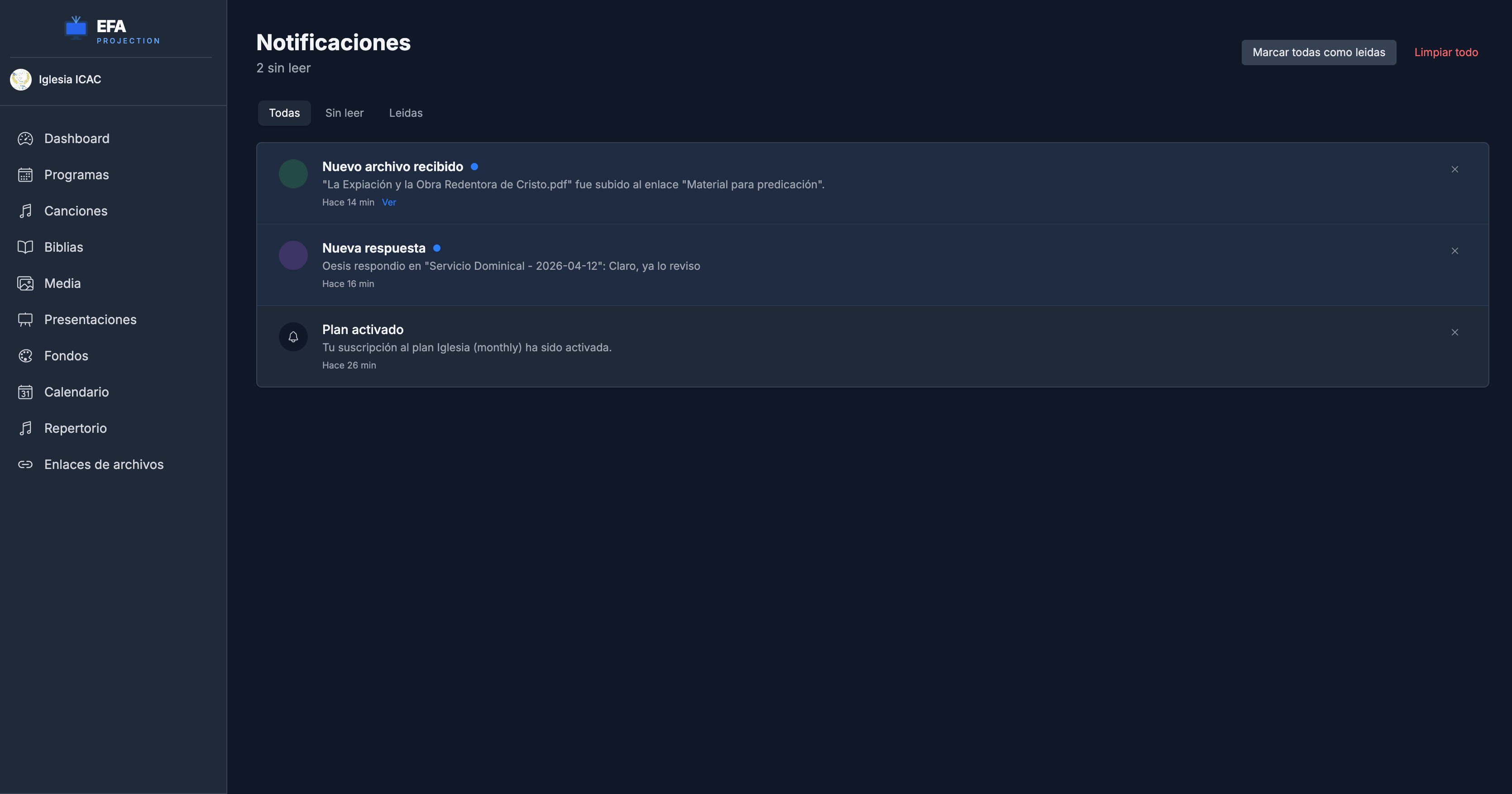
Notifications
Web AppGet alerts about activity and changes in your organization.
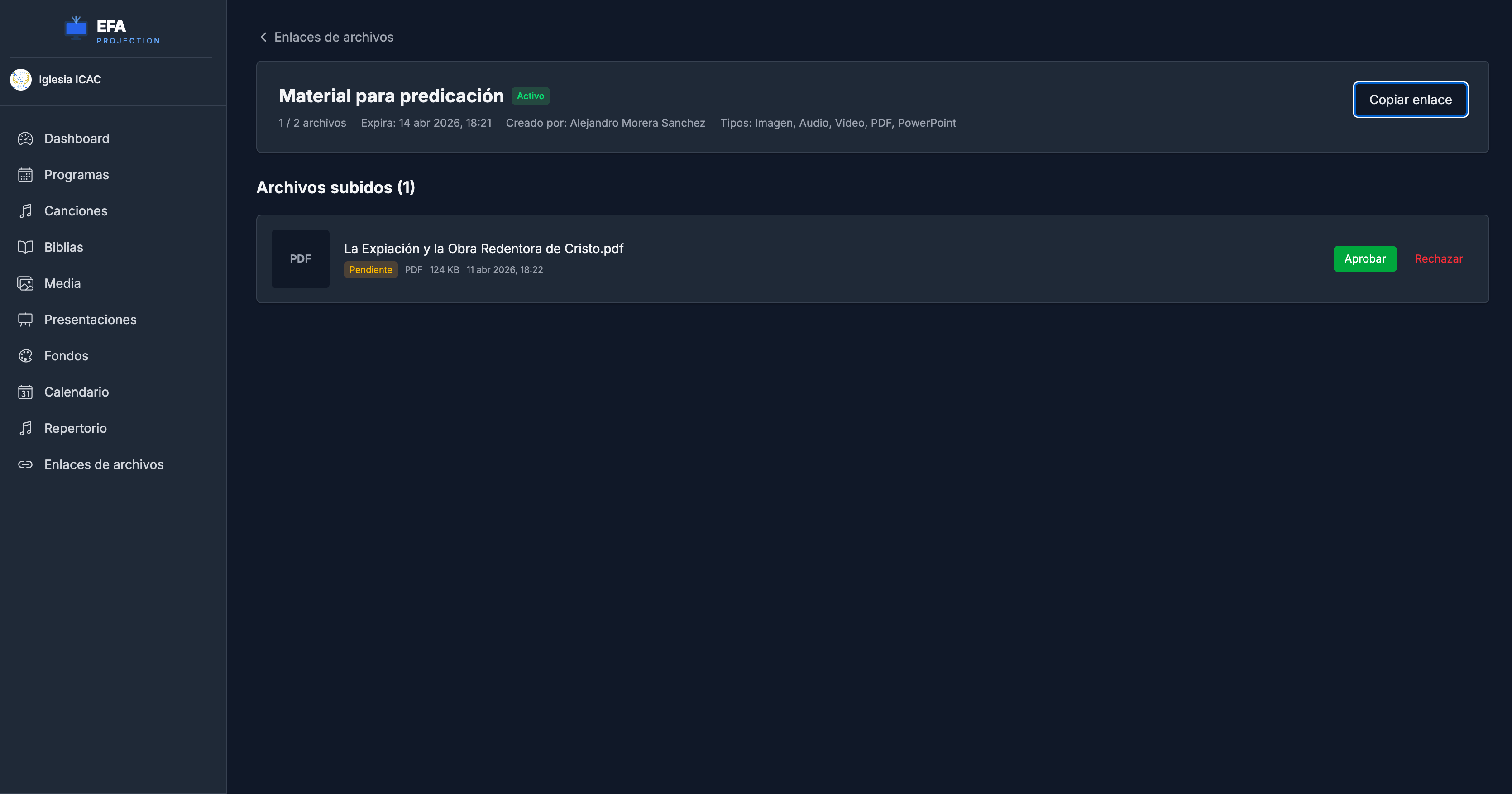
Upload links
Web AppShare a link so members can upload files directly.
Your whole service, in your pocket
Manage your repertoire, check the calendar and control projection in real time from Android or iOS.
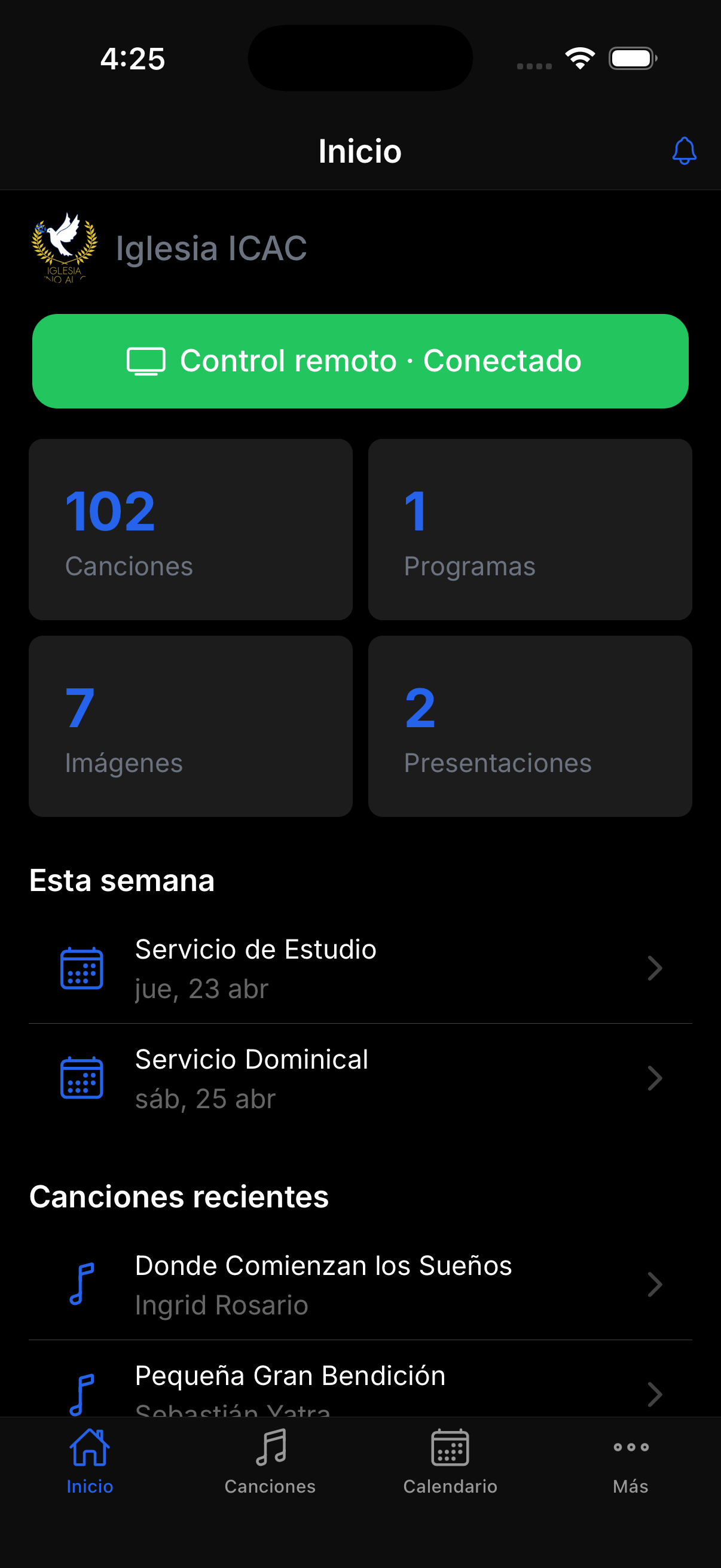
Dashboard
Check your organization's overview from your phone.
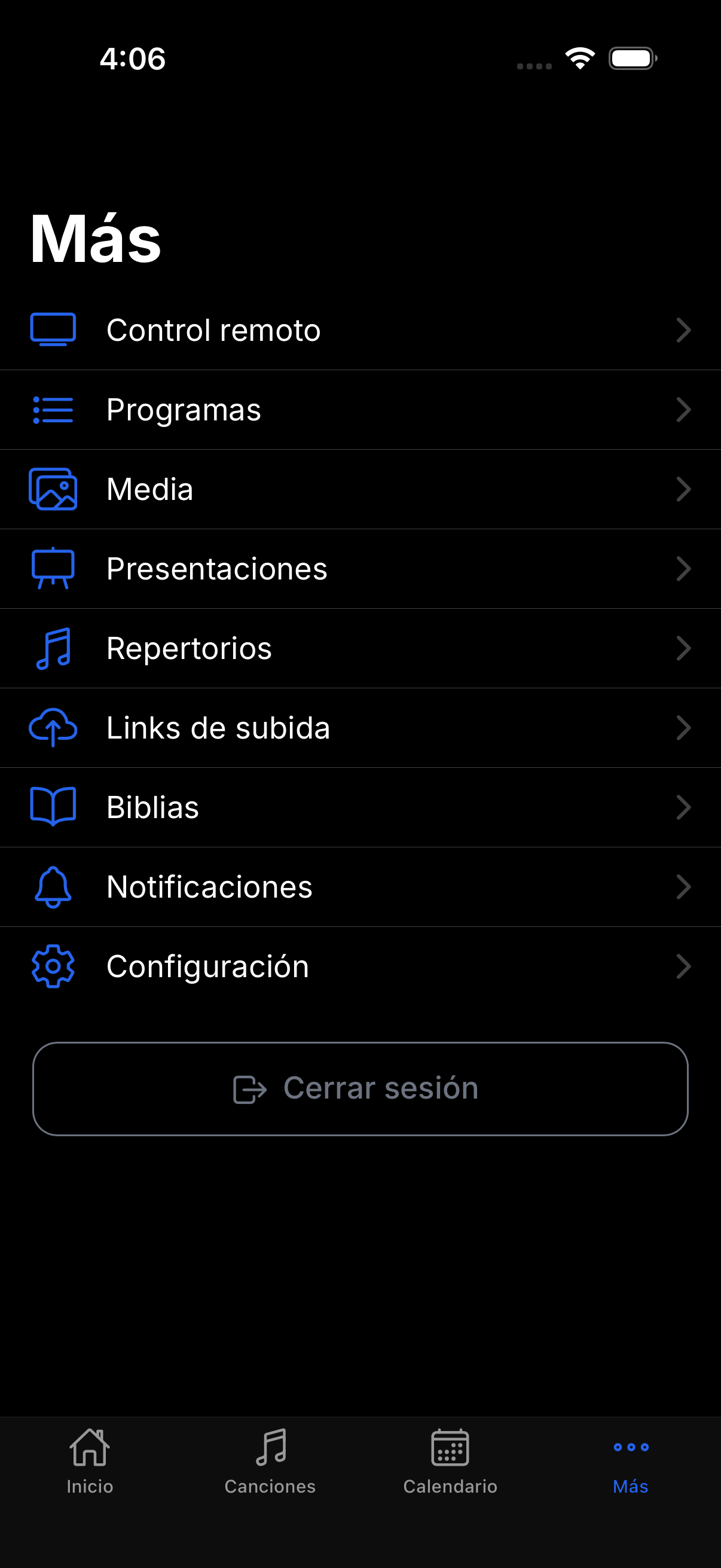
Everything at hand
Songs, programs, calendar, media and more, organized in one place.
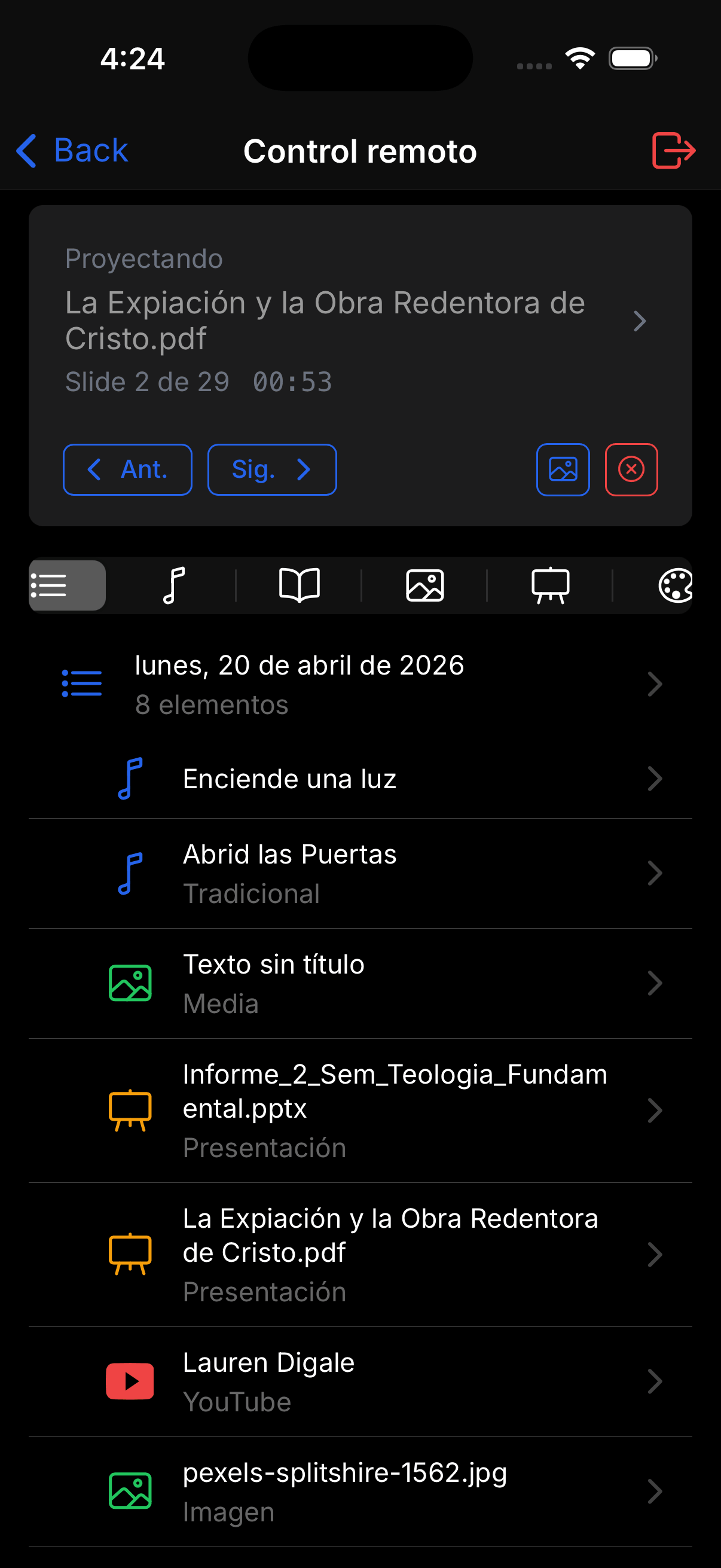
Remote control
Control projection from wherever you are during the service.
Why EFA Projection?
Born from a real need
At our church we needed a projection program. When we tried the available options we ran into two problems: outdated, hard-to-use apps, or good apps with prices out of reach for a church on a limited budget. EFA Projection was born to close that gap between quality and an accessible price.
Teamwork, without the hassle
We also discovered how hard it was to keep resources in sync across the projection team. Outdated songs, different versions on each computer, last-minute changes that didn't make it on time. That's why EFA Projection is designed to strengthen collaborative work: everyone works with the same information, synced in real time, from any device. The team can prepare the service together, no matter where they are.
Transparent about our pricing
We know many churches operate with limited resources — ours does too. That's why we offer a free plan that covers the essentials. But maintaining a quality app requires ongoing investment in development, infrastructure and support. Paid plans let us keep improving EFA Projection and offering a reliable, long-term service. Every subscription helps more churches gain access to a professional tool at a fair price.
A name with purpose
"Ephah" is a biblical unit of measure from the Old Testament, used to measure grains and cereals. In Scripture, God commanded His people to keep fair and honest measures as a reflection of His character. That same principle inspires us: to offer a quality tool at a fair price, accessible to every church.
Plans and pricing
Start free and grow at your church's pace.
Free
For small churches just getting started
Start for free
- 1 organization
- 2 users
- 500 MB storage
- 100 songs
- 10 programs
- 5 presentations
- 10 animated backgrounds
- All Bible versions
- Mobile app
- Remote control
- Repertoires
- Upload links
- Google Calendar
- Telegram
- AI assistant
Church
For growing churches, take your projection to the next level
or $75/yr (save 11%)
Start trial- 3 organizations
- 50 users
- 5 GB storage
- 2000 songs
- 200 programs
- 50 presentations
- 30 animated backgrounds
- All Bible versions
- Mobile app
- Remote control
- 100 repertoires
- 100 upload links
- Google Calendar
- Telegram
- AI assistant
Pro
For established churches with all the features
or $165/yr (save 8%)
Start trial- 20 organizations
- 100 users
- 20 GB storage
- Unlimited songs
- Unlimited programs
- Unlimited presentations
- Unlimited animated backgrounds
- All Bible versions
- Mobile app
- Remote control
- Unlimited repertoires
- Unlimited upload links
- Google Calendar
- Telegram
- AI assistant
Frequently asked questions
Is EFA Projection free?
Yes. The free plan includes everything you need to get started: 100 songs, 10 programs, 5 presentations, and 2 members. You can use the app with no time limit.
Does it work without internet?
Yes. The desktop app works fully offline. When you reconnect, you can sync your changes to the cloud with a single click.
Which devices does it work on?
EFA Projection is three apps that work together with the same account. The desktop app (macOS and Windows) is what projects during the service and works offline. The web panel lets you manage songs, programs, and media from any browser. The mobile app (iOS and Android) is for managing from your phone and acting as a remote control for the projection.
Do I need to install the desktop app if I already have the mobile app or the web panel?
Yes. Only the desktop app connects to the projector and displays content on screen during the service. The web panel and mobile app are for preparing your set list and controlling the projection, but they cannot project on their own.
Can I project Bible passages?
Yes. EFA Projection includes a built-in Bible with multiple versions available on every plan. You can search passages and project them directly.
Can I cancel my subscription at any time?
Yes. You can cancel whenever you want from your account settings. You'll keep access to the paid plan until the end of the billed period, and then move to the free plan.
What happens to my data if I cancel?
Your data is kept for 90 days after cancellation. If your content exceeds the free plan's limits, you'll have time to export it or remove what you don't need.
What payment methods do you accept?
We process payments through PayPal, which accepts credit cards, debit cards, and PayPal balance.
Contact
Have questions? Write to us and we'll get back to you as soon as we can.
Download EFA Projection
Free for your church. Available for macOS and Windows.
Requires macOS 12+ or Windows 10+